
Survey Pop: Make money fast!
SocialLoopLifestyle
4.69.36K Reviews
- Version
- 26.11.17
- Installs
- 500.00K
- Age Rating
- Everyone
Screenshots
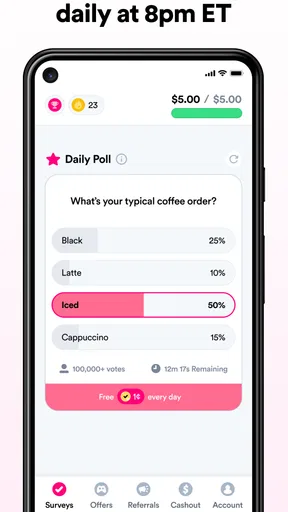
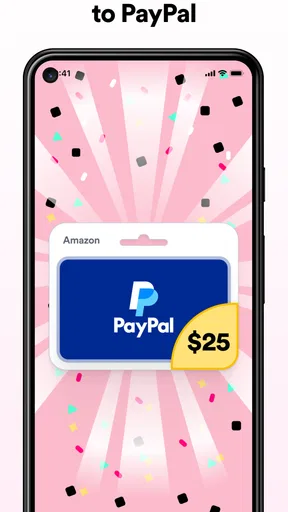
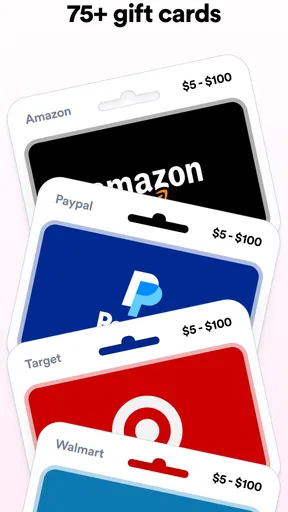
Our Review of Survey Pop: Make money fast!
 Analysis by Appyee
I approached Survey Pop as a small, practical way to earn from spare moments rather than as a serious income source. It is a free lifestyle app from SocialLoop, built around paid surveys and presented with a very direct promise: answer questions, collect rewards, and use the app when you have a few minutes available. That simplicity is its main appeal, but it also means the experience depends heavily on whether the available surveys fit your profile and how comfortably you can read and complete them.
The app has attracted a 4.6 average from around 57 thousand ratings, with more than 500 thousand installs. Those figures suggest that the basic idea works for a substantial audience, although popularity should not be confused with guaranteed earnings. My view is that Survey Pop is most useful as a casual pocket activity for people who already spend time waiting, commuting, or taking short breaks. It is much less suitable for anyone looking for predictable pay, a replacement for employment, or a way to earn quickly on demand.
How Survey Pop feels to use in everyday situations
I find Survey Pop most useful when I treat each survey as a small, optional task rather than something I need to squeeze into every spare minute. That approach makes it easier to judge whether a questionnaire suits my time, attention, and comfort before I begin. From there, the key question is what that choice looks like in the everyday moments where the app fits best.
Readability and navigation are strongest when you take the app slowly
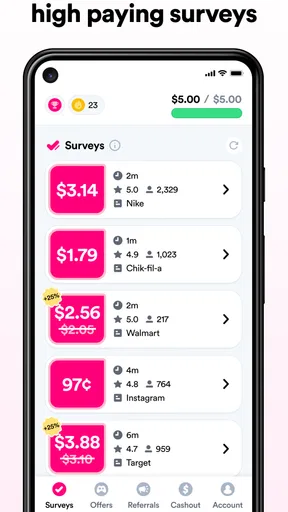
The first thing I noticed is that a survey app lives or dies by how quickly a person can understand what is on screen. Survey Pop’s purpose is easy to grasp: open it, look for an available questionnaire, read the conditions, and decide whether the time seems worthwhile. That straightforward loop is friendlier than an app that buries its main action beneath unrelated content.
Still, survey screens are not automatically easy for everyone. Questions can be longer than their answer buttons, and a single page may require careful reading before I tap anything. This matters because survey work is not just a matter of pressing the largest visible control. A rushed answer can send me down the wrong path or make the task feel confusing. I recommend reading the opening questions without trying to hurry, especially when several options look similar.
For people with reading difficulties, the most useful approach is to treat each survey as a short form rather than a game. I pause after each question, check whether the wording asks about frequency, preference, or personal experience, and only then choose an answer. That habit reduces avoidable mistakes. It also makes the app more manageable for someone who finds dense text tiring, even though it does not remove the effort involved in reading surveys.
Navigation is easier when I use a consistent routine. I open the app, check what is currently available, inspect the expected effort, and leave anything that looks too long for the time I have. I do not begin a questionnaire while distracted and assume I can finish it later. A survey can require concentration, and starting one during a noisy or hurried moment is a poor trade if the questions become difficult to follow.
The interface is best understood as a focused utility, not a place to browse endlessly. That is good news for users who prefer a clear purpose, but less appealing for anyone who expects a rich dashboard with detailed planning tools. Survey Pop gives me a reason to return, yet the value comes from the individual questionnaires rather than from sophisticated organization features.
Motor and sensory considerations change the value of each survey
Completing surveys usually involves repeated tapping, scrolling, and selecting small answer areas. For a user with limited fine-motor control, hand tremors, or fatigue, that repetition can become more important than the advertised reward. I found it sensible to use both hands when possible: one to stabilize the phone and one to select answers. That simple change can make long questionnaires less frustrating.
Users who rely on larger text, screen magnification, voice control, or other device-level assistance should test how comfortably the survey layout responds to those settings. I would not assume that every question will remain equally convenient when text is enlarged or when a screen reader interprets controls. The app may be usable in many setups, but the real experience can depend on the phone, operating system, and the design of the particular survey.
Sound is not central to the basic task, which is helpful in quiet or shared environments. I can imagine using it without needing audio, making it more practical in a waiting room, library, or workplace break area. At the same time, visual concentration is still required. Someone with low vision may find the amount of text more demanding than the lack of sound suggests, while a person sensitive to bright screens may need to adjust the phone before starting.
There is also a cognitive side to accessibility. Survey questions can ask for distinctions that seem minor, and the user may need to remember earlier answers. I get better results when I avoid switching between apps halfway through a questionnaire. Notifications, conversations, and background tasks can make the session harder to follow. For someone with attention difficulties, a short, quiet session is likely to work better than trying to complete surveys while multitasking.
One useful but easily missed trade-off is that speed is not always the best strategy. The app’s appeal is connected to quick spare-time use, yet rushing can make the experience less accessible and less accurate. I would rather complete one survey carefully than start several while tired and abandon them. That is especially relevant for users whose motor or sensory needs make rapid interaction uncomfortable.
Situational access: where the app fits and where it does not
Survey Pop fits naturally into small gaps in the day. I can imagine using it while waiting for an appointment, sitting on public transport, or taking a lunch break. In those situations, the phone is already in hand and the user can stop after a short session. It is more convenient than setting up a laptop for a task that may only last a few minutes.
A realistic example would be a person waiting for a delayed train. They open the app, review the available survey, and decide whether they have enough uninterrupted time to complete it. If the train arrives or the environment becomes noisy, they can choose not to begin. That decision is important: earning a little from a spare moment is useful only when the activity does not create stress or interfere with something more important.
People with variable energy may appreciate that the app does not require a fixed schedule. On a good day, they can try a survey; on a difficult day, they can ignore it. This flexibility is more accommodating than a commitment-based side job. However, the same flexibility means there is no dependable routine of work waiting whenever the user needs it. The app can fit around a person’s capacity, but it cannot guarantee that the available opportunity will fit their capacity at that exact moment.
For users with limited data access, weak connectivity, or strict phone-use limits, the timing of a session matters. I would check surveys when I have a stable connection and enough battery rather than beginning in a place where the phone may lose service. A questionnaire is a poor choice when I am about to enter a tunnel, board a flight, or hand the phone to someone else. These are ordinary limitations, but they affect whether a supposedly quick task feels convenient.
The app can also suit people who prefer private, individual activities. There is no need to speak to a customer, negotiate with a client, or travel to a workplace. That makes it attractive for users who want a low-social-pressure way to use spare time. On the other hand, those who dislike repetitive questions or feel uncomfortable sharing personal opinions may find the format tiring even if the navigation itself is simple.
What it offers compared with ordinary alternatives
The usual alternatives in this category are other survey services, cashback tools, microtask platforms, or simply doing nothing during a short break. Survey Pop’s advantage is its narrow focus. I do not need to learn a complicated marketplace or search through many kinds of tasks before understanding what to do. That can make the first session less intimidating than a broader earning platform.
A cashback app is often better for someone who already plans to shop, because the activity is tied to a purchase they were going to make anyway. A microtask service may suit a person who prefers image checking, data labeling, or other structured work instead of giving opinions. Survey Pop is the better match when answering questions feels more comfortable than shopping through a tracked offer or completing task instructions.
The trade-off is predictability. Shopping-based rewards are connected to a planned transaction, while survey availability can depend on the user’s profile and current opportunities. A broader task platform may offer more variety, but it can also require more setup and decision-making. I see Survey Pop as a focused supplement, not a universal replacement for every earning app.
Another important comparison is with traditional paid work. Survey Pop removes the need for a commute and can be used in very short sessions, but it does not provide the control, stability, or earning certainty of a job. Anyone considering it should think of rewards as incidental spending money. The store summary says it is a quick way to earn cash, but “quick” describes the action, not a promise that meaningful income will arrive quickly.
Remaining barriers that can make the experience disappointing
The biggest barrier is expectation management. A free app with a simple survey loop is easy to try, but users may become frustrated if they expect a steady stream of worthwhile questionnaires. I judge each opportunity by the effort required, not by the existence of a reward. If the task takes more concentration than I have available, I skip it rather than treating every invitation as an obligation.
Survey fatigue is another real issue. Even when the interface is understandable, answering similar questions repeatedly can become monotonous. This affects users with attention limitations, chronic fatigue, or low tolerance for repetitive work. Short sessions help, but they do not change the nature of the activity. The app is accessible in the sense that it can be used casually, yet casual use should not be mistaken for effortless use.
Privacy comfort is also part of the decision. Surveys ask for opinions and personal information as part of their normal purpose, so a user should read each questionnaire carefully and avoid answering more than they are comfortable sharing. I do not treat a reward as a reason to ignore my own boundaries. Someone who wants complete separation between earning activities and personal preferences may be happier with a different kind of side-income tool.
Age and device compatibility narrow the audience in practical ways. Survey Pop is rated for Everyone, which makes its general presentation approachable, but younger users should still involve a parent or guardian when deciding whether a survey is appropriate to answer. The app requires a relatively recent mobile environment, with the minimum operating system listed as version 11. Anyone using an older phone should check compatibility before planning around it.
The current release is version 26.8.21, and the developer is SocialLoop. That is useful context when troubleshooting: I would first update the app and the phone, then retry a survey under a stable connection before assuming the problem is permanent. I also avoid making a reward decision while the app is behaving slowly, because repeated taps can lead to accidental selections.
Small workflow changes that make it more inclusive
My most effective routine is to separate discovery from completion. I first look at what is available, then choose one questionnaire that matches my time, energy, and reading comfort. This prevents the common mistake of opening the first option immediately and discovering halfway through that the session is too demanding.
I also use environmental adjustments rather than expecting the app to solve every access problem. A larger display setting, reduced glare, a stable surface, and a quiet corner can make more difference than trying to move faster. Users who depend on accessibility tools should test those tools on a brief survey before committing to a longer one. That is a practical way to learn whether the combination of phone settings and survey layout works for them.
For people who struggle with memory or concentration, I suggest taking a brief pause before submitting answers and checking that the selected option matches the question. This is not about gaming the system; it is about reducing accidental taps. If a survey becomes confusing, stopping is a valid choice. The small potential reward is not worth pushing through discomfort or uncertainty.
Users with limited mobility may benefit from placing the phone where it can be reached without repeated repositioning. A stand or a supported grip can reduce strain during scrolling. Someone using voice access should experiment with the phone’s commands in advance, because the usefulness of voice interaction may vary between the app’s own screens and the survey pages it presents.
These habits reveal the central trade-off: Survey Pop is flexible because it can be used almost anywhere, but that flexibility shifts much of the accessibility work to the user’s device and surroundings. People who are comfortable adjusting their setup may find it pleasantly adaptable. People who need carefully designed, consistently accessible forms may prefer a service with more explicit accessibility controls.
Who should try it, and who should choose something else
I would recommend trying Survey Pop to adults who want a free, low-commitment survey app for occasional use and who are comfortable reading questions on a phone. It is a reasonable option for filling short waits, testing whether paid questionnaires suit you, or adding a small activity to an otherwise empty break. The Everyone rating and simple purpose make it approachable, but the user still needs to make sensible decisions about personal information and time.
I would be more cautious about recommending it to anyone who needs guaranteed earnings, has very limited energy for repetitive reading, or becomes frustrated when opportunities are inconsistent. It is also not the right fit for someone who wants a broad range of task types. In those cases, a cashback app, a microtask platform, or a conventional part-time opportunity may match the person’s goals better.
The app’s free price removes the financial risk of trying it, but time is still a cost. I would give it a short test period, notice how comfortable the questions are to read and answer, and decide whether the rewards feel worthwhile for my own routine. I would not install it expecting a reliable income stream, and I would not let a quick earning goal override accessibility needs or privacy comfort.
Survey Pop is a focused lifestyle app rather than a complete financial tool. Its strongest quality is the ability to turn small, otherwise unused moments into survey sessions without demanding a fixed schedule. Its weakest point is the gap between that convenience and the effort some users must spend reading, tapping, concentrating, and deciding which opportunities are worth their time.
My inclusive verdict is therefore positive but measured. Survey Pop works best when flexibility matters more than certainty, and when the user can adapt the phone and surroundings to make survey completion comfortable. I like it as an occasional option, especially for quiet waiting periods, but I would keep expectations modest and pair it with another method if dependable rewards or stronger accessibility support are essential.
Privacy and Permissions
See what permissions an app requests and how it handles your data.
- Location
- approximate location (network-based), precise location (GPS and network-based)
- Phone
- read phone status and identity
- Photos/Media/Files
- read the contents of your USB storage, modify or delete the contents of your USB storage
- Storage
- read the contents of your USB storage, modify or delete the contents of your USB storage
- Camera
- take pictures and videos
- Microphone
- record audio
- Wi-Fi connection information
- view Wi-Fi connections
- Device ID & call information
- read phone status and identity
- Other
- view network connections, pair with Bluetooth devices, access Bluetooth settings, full network access, change your audio settings, run at startup, control vibration, prevent device from sleeping, Google Play license check, read Google service configuration
Verdict
Strengths of Survey Pop: Make money fast!
- Simple surveys can be completed in a few minutes.
- The app offers multiple survey categories and topics.
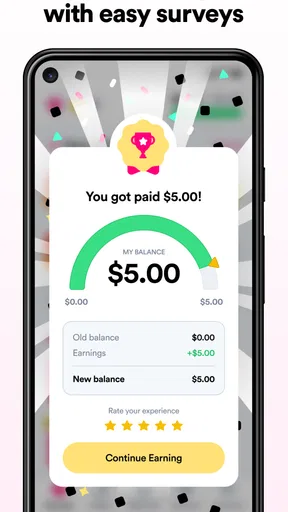
- Progress and available rewards are easy to track.
- Suitable for occasional users looking for small extra earnings.
- The interface is generally straightforward for beginners.
Limitations of Survey Pop: Make money fast!
- Survey availability may vary significantly by location.
- Some surveys can screen you out after answering several questions.
- Rewards may take time to accumulate before reaching a payout threshold.
- Personal and demographic information is required for matching surveys.
- Earnings are unlikely to replace regular income.
Other Releases by SocialLoop
View All
Eureka: Earn money for surveys
Lifestyle4.5

Survey Spin: Get paid cash!
Lifestyle4.6
Similar Picks in This Category
View All
SmartThings
Samsung Electronics Co., Ltd.4.6

Google Home
Google LLC4.0

Pinterest4.2

Astrotalk - Talk to Astrologer
Astrology & Horoscope4.7

My Verizon
Verizon Consumer Group4.5

Samsung Wallet (Samsung Pay)
Samsung Electronics Co., Ltd.4.1
Frequently Asked Questions
What is Survey Pop: Make Money Fast!?
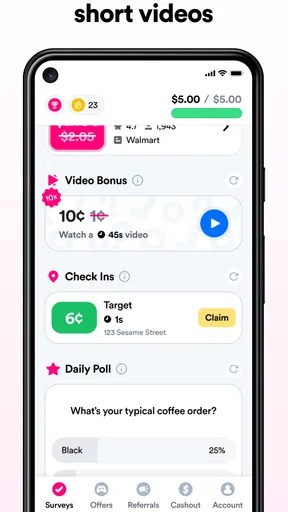
Survey Pop is a rewards app that lets users earn points by completing surveys and, depending on availability, other promotional activities. After reaching the required redemption threshold, points may be exchanged for rewards such as cash or gift cards. The number of surveys available varies according to your profile, location, age, and current market research demand.
How much money can I make with Survey Pop?
Survey Pop should be viewed as a way to earn occasional extra money rather than a dependable income source. Earnings depend on the number of qualifying surveys offered to you, the estimated completion time, and whether your answers match the requirements of a particular study. Some days may provide several opportunities, while other days may offer very few or none.
How do I receive rewards from Survey Pop?
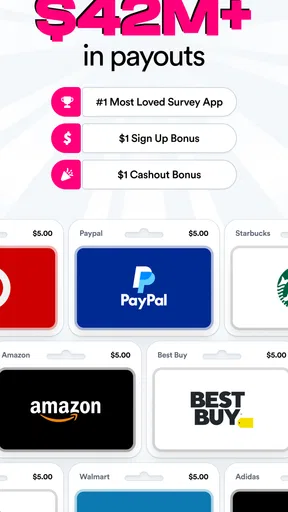
Once you have accumulated enough points, you can generally request an available reward through the redemption section of the app. Depending on your country and account eligibility, options may include PayPal payments, gift cards, or other supported rewards. Before completing surveys, check the current minimum payout, processing times, and any verification requirements shown in the app.
Why am I disqualified from some Survey Pop surveys?
Survey disqualification is common in market research apps and does not necessarily indicate a problem with your account. Surveys target specific demographics, purchasing habits, locations, or experiences, so you may be screened out when your profile does not match the study. Answer consistently and honestly, because contradictory responses or rushed completion can affect future eligibility.
Is Survey Pop safe and worth downloading?
Survey Pop can be useful for people who are comfortable sharing basic demographic and consumer-opinion information in exchange for small rewards. However, users should review the privacy policy, understand what data is collected, and download the app only from an official store. It is most worthwhile for casual spare-time earnings, not for replacing employment or generating guaranteed income.
